Mobile interfaces in Airtable
Last updated: September 8, 2026
Plan availability | All plan types/levels |
Permissions | Please consult this support article for a breakdown of Interface Designer permissions.
|
Platform(s) |
Using mobile interfaces in Airtable
The Airtable iOS and Android apps may become slow or fail to load properly when handling tens of thousands of records. This is a known limitation of the app, not the interface type. While record list, gallery, Kanban, and calendar layouts are supported, performance drops sharply with very large datasets.
Viewing Airtable interface pages on mobile browsers is not supported, and the magic link prompt that users encounter is expected behavior designed to redirect mobile users to a desktop environment. This limitation applies regardless of interface page type. Certain interface features are supported in the official Airtable iOS or Android mobile apps.
Refer to this article for other general differences between mobile and desktop experiences of Airtable.
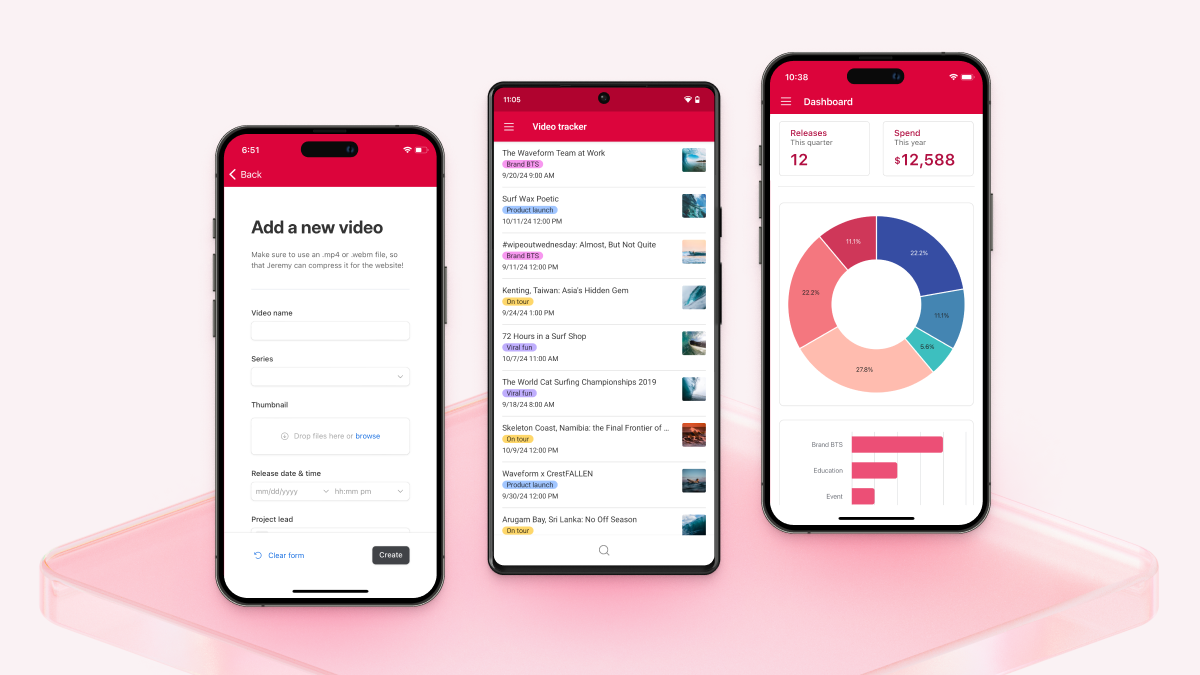
Mobile interfaces in Airtable allow for mobile-optimized versions of Airtable's web and desktop experiences with no configuration from interface builders or collaborators.
Using interfaces on mobile allows users to do things like:
Review and take immediate actions, like reviewing open bugs and assigning DRIs.
Edit or update field data.
Add records through forms.
Approve or reject proposed copy and assets for things like marketing launches or sales campaigns.
Comment or respond to project collaborators.
Search for, review, and share related project tickets, information, etc., with collaborators.
Update project statuses and provide relevant feedback.
Accessing interfaces on a mobile device
Open the Airtable app on your mobile device.
Locate your preferred interface from the Airtable app home screen.
Tap your preferred interface to open.
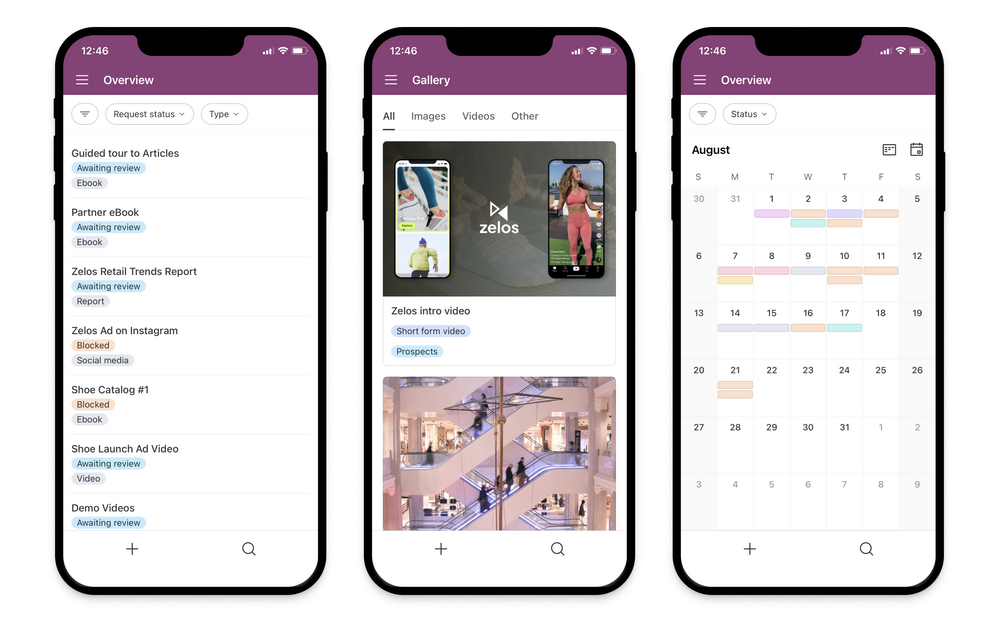
Once your interface is open, you can view full-screen pages of list, gallery, calendar, or kanban elements and search and filter records using the tab or dropdown filter elements.
Understanding mobile interface feature availability
Interface end-user actions
Feature | iOS | Android |
|---|---|---|
Searching | ✅ Supported | ✅ Supported |
Dropdown filters | ✅ Supported | ✅ Supported |
Tab filters | ✅ Supported | ✅ Supported |
End-user sorting | ❌ Not supported | ✅ Supported |
End-user filtering | ❌ Not supported | ❌ Not supported |
End-user grouping | ❌ Not supported | ❌ Not supported |
Printing | ❌ Not supported | ❌ Not supported |
CSV exporting | ❌ Not supported | ❌ Not supported |
Interface sharing
Feature | iOS | Android |
|---|---|---|
Share dialog: invite new users | ✅ Supported | ✅ Supported |
Share dialog: manage existing access | ✅ Supported | ✅ Supported |
Share dialog: request adding collaborator to workspace-restricted workspaces, bases, and interfaces | ❌ Not supported | ❌ Not supported |
Interface manage access dropdown filters | ❌ Not supported | ❌ Not supported |
Request access to unshared interface | ❌ Not supported | ❌ Not supported |
Create share links (i.e. Share and sync > Create link to view) | ❌ Not supported | ❌ Not supported |
Interface layouts and elements
Feature | iOS | Android |
|---|---|---|
List | ✅ Supported | ✅ Supported |
Kanban | ✅ Supported | ✅ Supported |
Calendar | ✅ Supported | ✅ Supported |
Gallery | ✅ Supported | ✅ Supported |
Record overview | ✅ Supported | ✅ Supported |
Overview | ✅ Supported | ✅ Supported |
Dashboard | ✅ Supported | ✅ Supported |
Form | ✅ Supported | ✅ Supported |
Grid | ✅ Supported | ✅ Supported |
Timeline | ❌ Not supported | ❌ Not supported |
Swimlanes | ❌ Not supported | ❌ Not supported |
Record review (legacy) | ❌ Not supported | ❌ Not supported |
Blank | ❌ Not supported | ❌ Not supported |
Conditional record coloring | ✅ Supported | ✅ Supported |
CSV import | ❌ Not supported | ❌ Not supported |
Record detail layouts
Feature | iOS | Android |
|---|---|---|
Conditional sections | ✅ Supported | ✅ Supported |
Conditional fields | ✅ Supported | ✅ Supported |
Conditional buttons | ✅ Supported | ✅ Supported |
Chart and big number elements | ✅ Supported | ✅ Supported |
Create foreign record via forms | ✅ Supported | ✅ Supported |
Conditionally supported elements | ✅ Supported | ✅ Supported |
Add / Delete / Unlink linked records | ✅ Supported | ✅ Supported |
Linked record visualization | 🟡 Partial support | 🟡 Partial support |
Field helper text | ✅ Supported | ✅ Supported |
Container helper text | ✅ Supported | ✅ Supported |
Copy URL button | 🟡 Partial support | ❌ Not supported |
Linked record selection filters | ❌ Not supported | ✅ Supported |
Varying cell sizes | ❌ Not supported | ❌ Not supported |
Section background color | ❌ Not supported | ❌ Not supported |
Record detail buttons
Feature | iOS | Android |
|---|---|---|
Apply record template | ❌ Not supported | ❌ Not supported |
Update fields | ✅ Supported | ✅ Supported |
Prev / Next | ❌ Not supported | ✅ Supported |
External URL | ❌ Not supported | ❌ Not supported |
Error states | ❌ Not supported | ❌ Not supported |
Go to page | 🟡 Partial support | 🟡 Partial support |
Query container buttons
Feature | iOS | Android |
|---|---|---|
Open record creation form | ✅ Supported | ✅ Supported |
External URL | ❌ Not supported | ❌ Not supported |
Go to page | ❌ Not supported | ❌ Not supported |
Error states | ❌ Not supported | ❌ Not supported |
Attachments
Feature | iOS | Android |
|---|---|---|
Comments (In-base) | ❌ Not supported | ✅ Supported |
Comments (Interfaces) | ❌ Not supported | 🟡 Partial support |
Proofing attachment viewer | ❌ Not supported | ❌ Not supported |
Dashboard layouts
Feature | iOS | Android |
|---|---|---|
Big number | ✅ Supported | ✅ Supported |
Chart | ✅ Supported | ✅ Supported |
Pivot table | ✅ Supported | ✅ Supported |
List | ✅ Supported | ✅ Supported |
Gallery | ✅ Supported | ❌ Not supported |
Kanban | ✅ Supported | ❌ Not supported |
Calendar | ✅ Supported | ❌ Not supported |
Timeline | ❌ Not supported | ❌ Not supported |
Swimlanes | ❌ Not supported | ❌ Not supported |
Drill down: Static sorting | ✅ Supported | ✅ Supported |
Drill down: End-user sorting | ❌ Not supported | ✅ Supported |
Drill down: Static filtering | ❌ Not supported | ❌ Not supported |
Drill down: End-user filtering | ❌ Not supported | ❌ Not supported |
List visualization (Table layouts)
Feature | iOS | Android |
|---|---|---|
Prefix fields | ✅ Supported | ✅ Supported |
Custom column labels | ✅ Supported | ✅ Supported |
In-line editing | ❌ Not supported | ✅ Supported |
Show record counts for groups | ❌ Not supported | ❌ Not supported |
Linking records | ❌ Not supported | ❌ Not supported |
Interface attachments
Feature | iOS | Android |
|---|---|---|
Attachment comments | ❌ Not supported | ❌ Not supported |
Proofing attachment viewer | ❌ Not supported | ❌ Not supported |
Interface fields
Feature | iOS | Android |
|---|---|---|
AI long text field | ✅ Supported | ✅ Supported |
Generate AI field content | ✅ Supported | ✅ Supported |
Attachment field uploads | ✅ Supported | ✅ Supported |
Duration field | ✅ Supported | ✅ Supported |
Progress bar outputs | ❌ Not supported | ❌ Not supported |
Interface comments
Feature | iOS | Android |
|---|---|---|
Comment threading | ✅ Supported | ✅ Supported |
Comment reactions | ✅ Supported | ✅ Supported |
Comment watching / unwatching | ✅ Supported | ❌ Not supported |
Activity feed | ✅ Supported | ❌ Not supported |
Interface buttons
Feature | iOS | Android |
|---|---|---|
Apply record template | ❌ Not supported | ❌ Not supported |
Update fields | ✅ Supported | ✅ Supported |
Previous / Next buttons | ❌ Not supported | ✅ Supported |
External URL | ❌ Not supported | ❌ Not supported |
Troubleshooting slow navigation in the mobile app
Navigation that feels slow (tables that take a moment to open, a base that closes back to the home screen when you switch tables, or a linked record that takes a long time to load) isn't always caused by record count. A base of any size can feel sluggish on mobile when the app is out of date or the device is on a weak connection. Slowness that scales with the number of records is a separate, known limitation covered in the note at the top of this article.
Work through these checks in order:
Update the Airtable app to the latest version from the App Store or Google Play. Loading and navigation fixes ship in app releases, so an older build can hold on to a problem that has already been fixed.
Force-quit the Airtable app and reopen it. This clears the state the app builds up as you move between bases.
Test the same base on a different network—for example, switch from cellular data to Wi-Fi. Linked record fields load their data on demand, so a slow or intermittent connection shows up most sharply when you open a record.
Restart your device if the behavior continues after an app restart.
Open the same base on the web or the desktop app. If navigation is quick there, the issue is specific to the mobile app rather than to the base itself.
If navigation is still slow after these checks, contact Airtable Support and include your device model, operating system version, Airtable app version, the base and tables you're switching between, and roughly how long a load takes.
FAQs
Are you able to edit an interface via the mobile iOS or Android apps?
No. Creators are unable to edit the configuration of an interface via the app. The mobile app is only designed for end-users/contributors with access to the interface.
Are interfaces supported on iPads?
Yes, iPads support interfaces, however, there are certain limitations on iPads that differ from iPhones. The most common difference is that full screen record detail pages will not load on iPads. The workaround is to configure the record details page to open as a sidesheet experience instead of fullscreen.